Wincontainer now has MCP server
MCP Server WinContainers exposes a built-in Model Context Protocol (MCP) server so that AI coding assistants (GitHub Copilot, Cursor, Claude, etc.) can manage containers, images, volumes, and networks directly from the editor.
YT on this new feature: https://youtu.be/snO6KHTQDA4?si=_vsqZePeqXq_joXE
The releases of the software are here https://github.com/japperJ/Wincontainer/releases
Endpoint The MCP server runs on http://localhost:5123/mcp (HTTP/SSE transport) as part of the in-process Kestrel service that starts with the app.
The port and token can be overridden with environment variables:
Variable Default Purpose WINCONTAINERS_SERVICE_PORT 5123 Port the service listens on WINCONTAINERS_SERVICE_TOKEN (none) ****** required for remote connections When no token is set the service only accepts loopback connections. When a token is set it also accepts connections from other hosts and requires `Authorization: ******
Connecting an AI Client Add the server to your AI client's MCP configuration. A ready-made .github/copilot-mcp.json is included in this repository for GitHub Copilot:
{ "mcpServers": { "wincontainer": { "description": "Wincontainer container management — run, stop, inspect containers, images, volumes, and networks via wslc.", "url": "http://localhost:5123/mcp", "headers": { "Authorization": "******" } } } } Omit the headers block when connecting from localhost without a token configured.
Available Tools Tool Description ListContainers List all containers RunContainer Run a new container from an image StartContainer Start a stopped container StopContainer Stop a running container RestartContainer Restart a container RenameContainer Rename a container RemoveContainer Delete a container InspectContainer Get detailed container configuration and status ExecCommand Execute a command inside a running container GetContainerLogs Retrieve recent container logs ListImages List downloaded images PullImage Pull an image from a registry RemoveImage Delete an image InspectImage Get detailed image metadata ListVolumes List storage volumes CreateVolume Create a volume RemoveVolume Delete a volume InspectVolume Get detailed volume information ListNetworks List container networks CreateNetwork Create a network RemoveNetwork Delete a network HealthCheck Check whether the wslc runtime is available GetVersion Get the wslc runtime version
Share this post
Related Posts

Signal North: A Practical HTMX Field Guide
Signal North is an interactive showcase for building modern web interfaces with HTMX and server-rendered HTML. https://signal-north-htmx.vercel.app/
August 14, 2026

Jobseekerv3
A local web chat assistant that turns a job listing into tailored CV and cover-letter PDFs in English and Danish, with evidence-backed review before anything is saved.
August 6, 2026
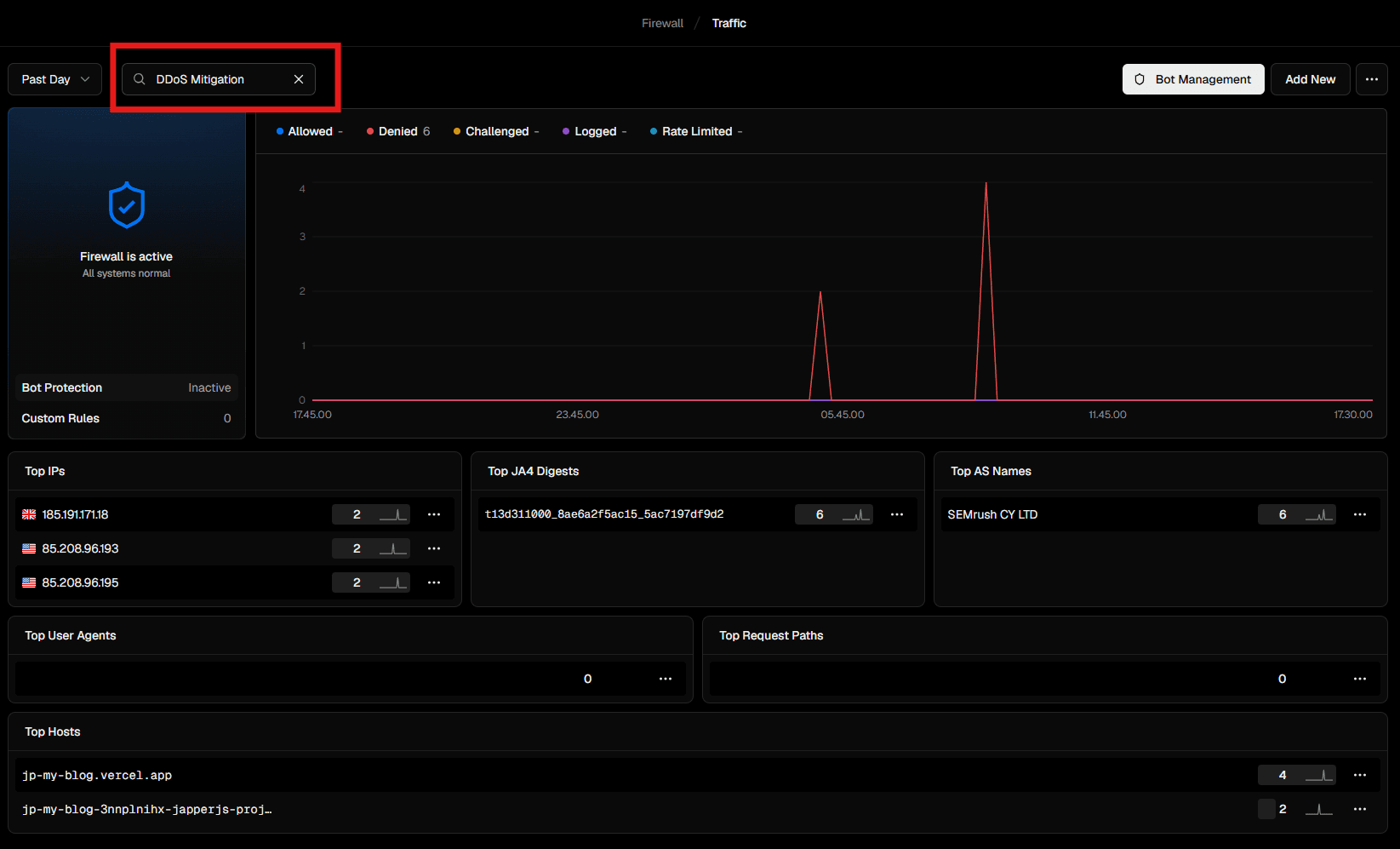
Who's hacking ;)
Found this information on vercel
August 4, 2026
Comments
Be the first to leave a comment.